140 cm LED Gaming Desk, Clean Setup
A steady, organised and immersive battlestation for your monitor, keyboard, mouse, headset and drink — all within reach.
What Sets Equipped Gaming Desks Apart
Gaming Desk for Playing, Organising and Working
Home Gaming Setup
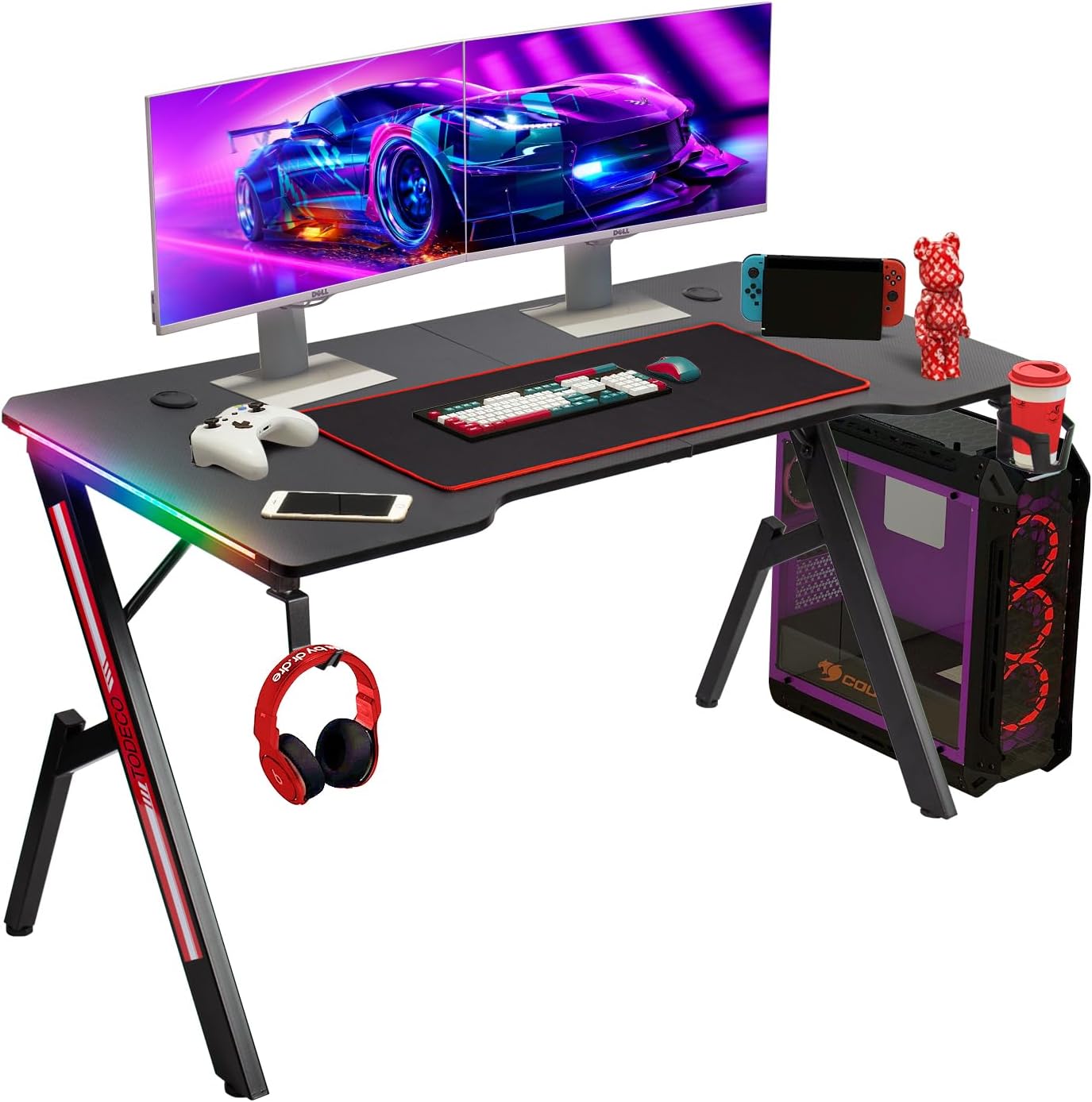
Set up your monitor, keyboard and mouse on 140 x 60 cm with remotely controlled LED lighting.
Fixed PC Station
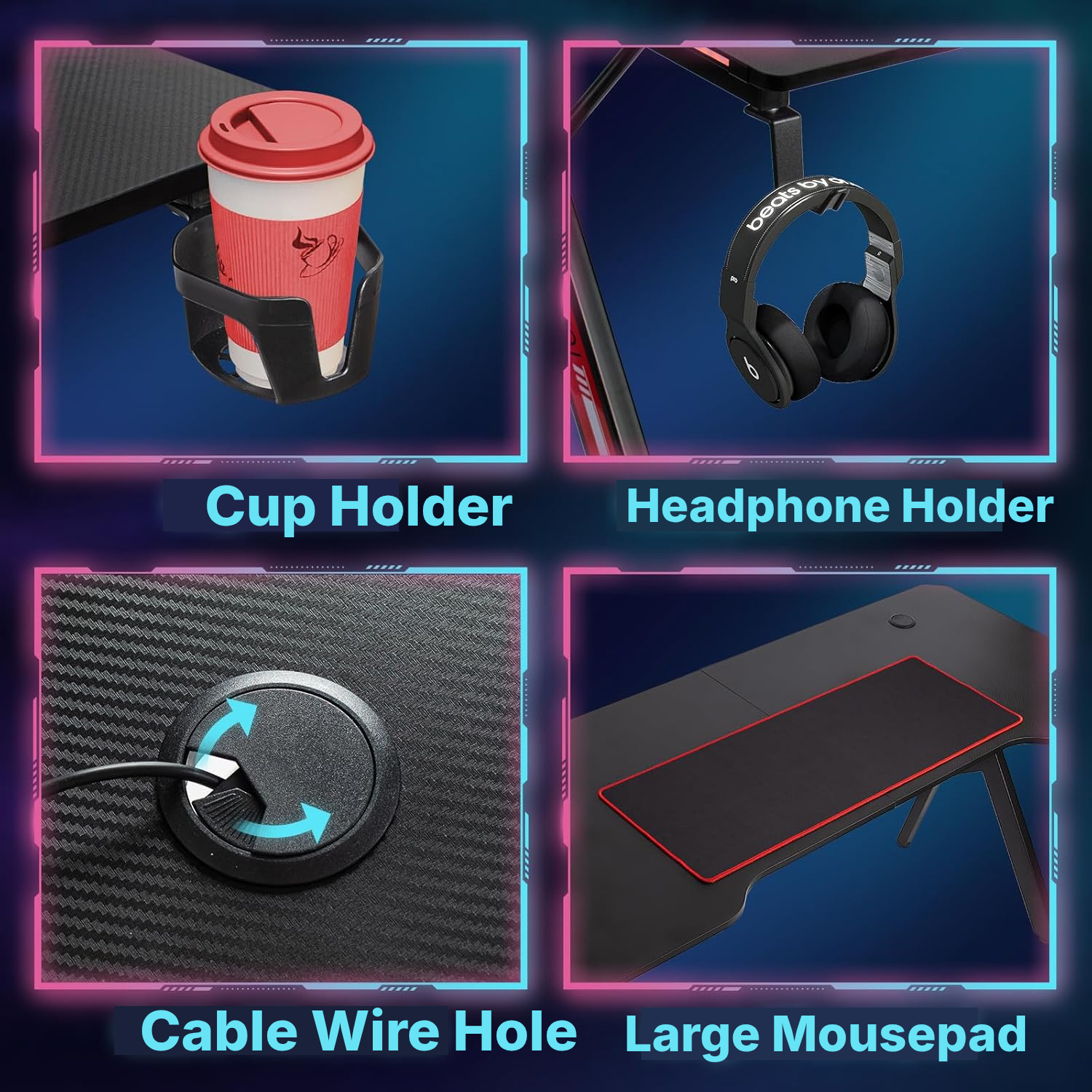
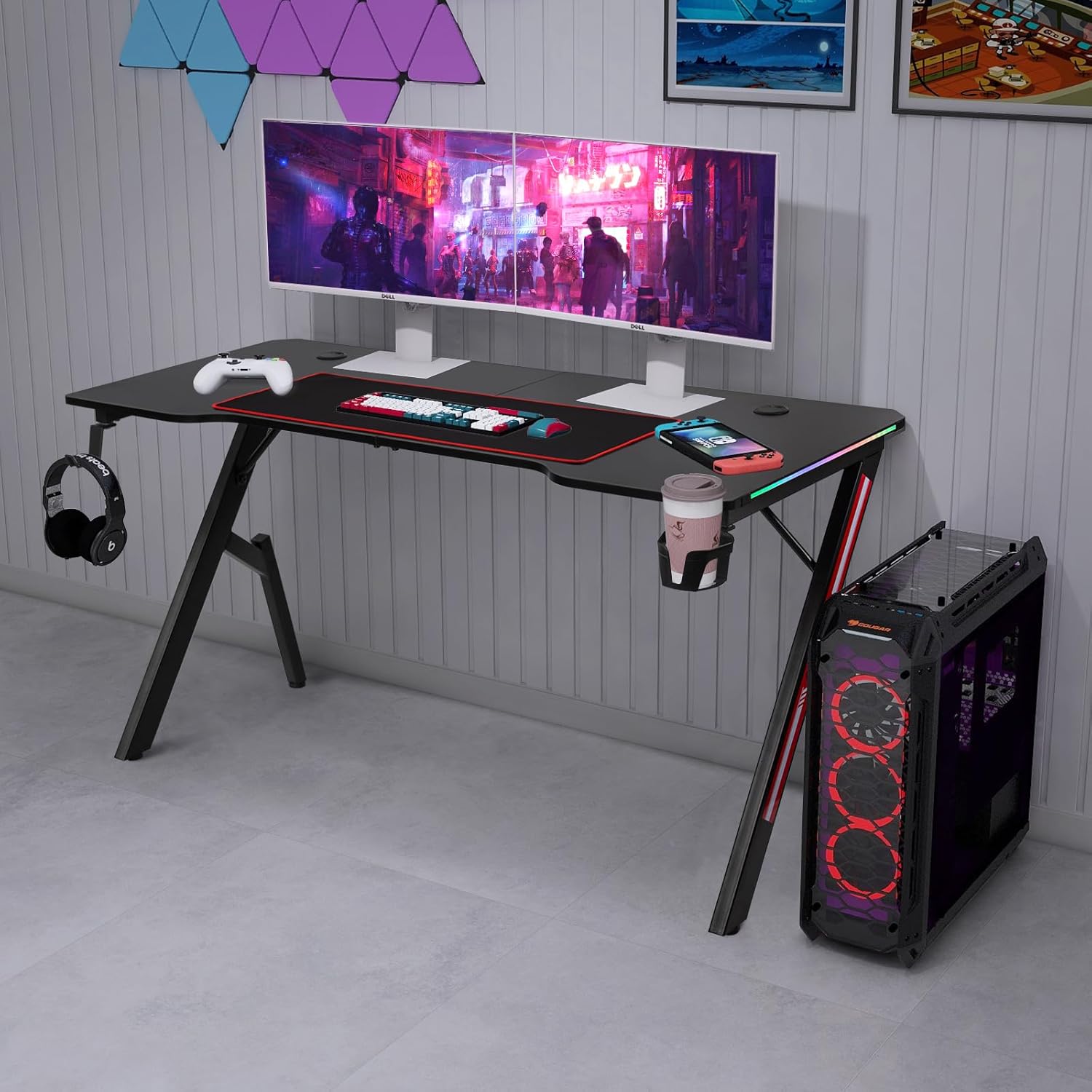
Keep your headset suspended, your drink off the desktop and your cables guided through the integrated cable openings.
Long Sessions
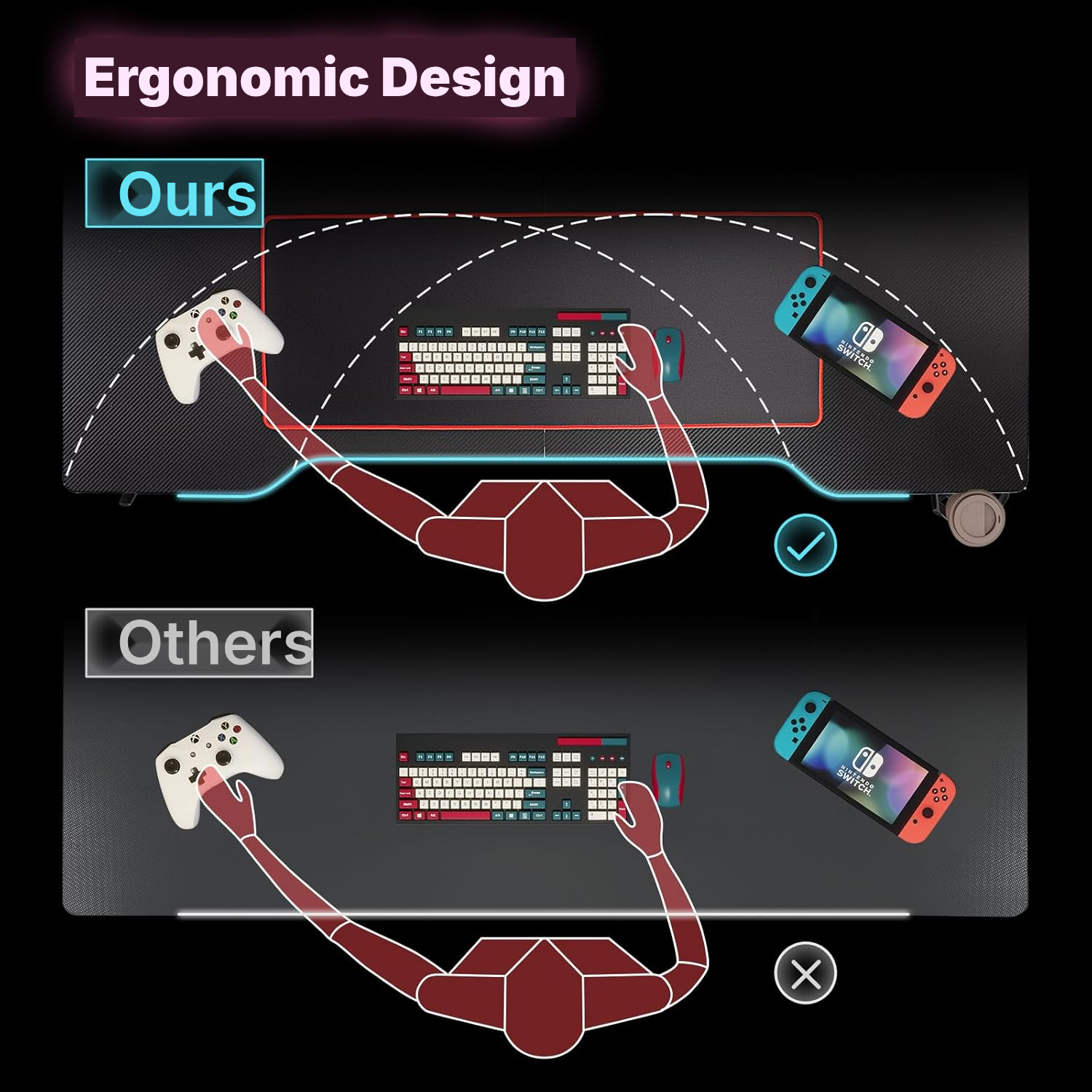
The curved shape brings your controls closer, while the included mouse mat supports wide movements.
Bedroom or Office
The 140 cm format creates a personal workstation for 1 person without aiming for a deep multi-monitor setup.
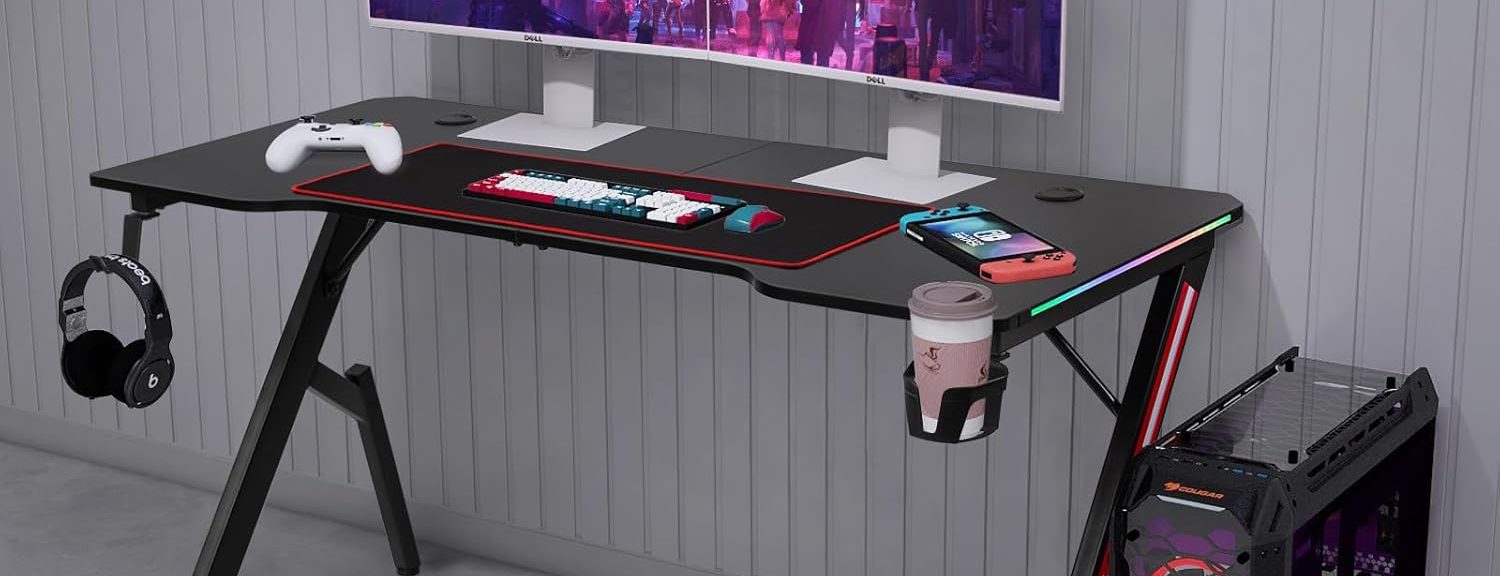
The 140 cm RGB Gaming Desk in Detail
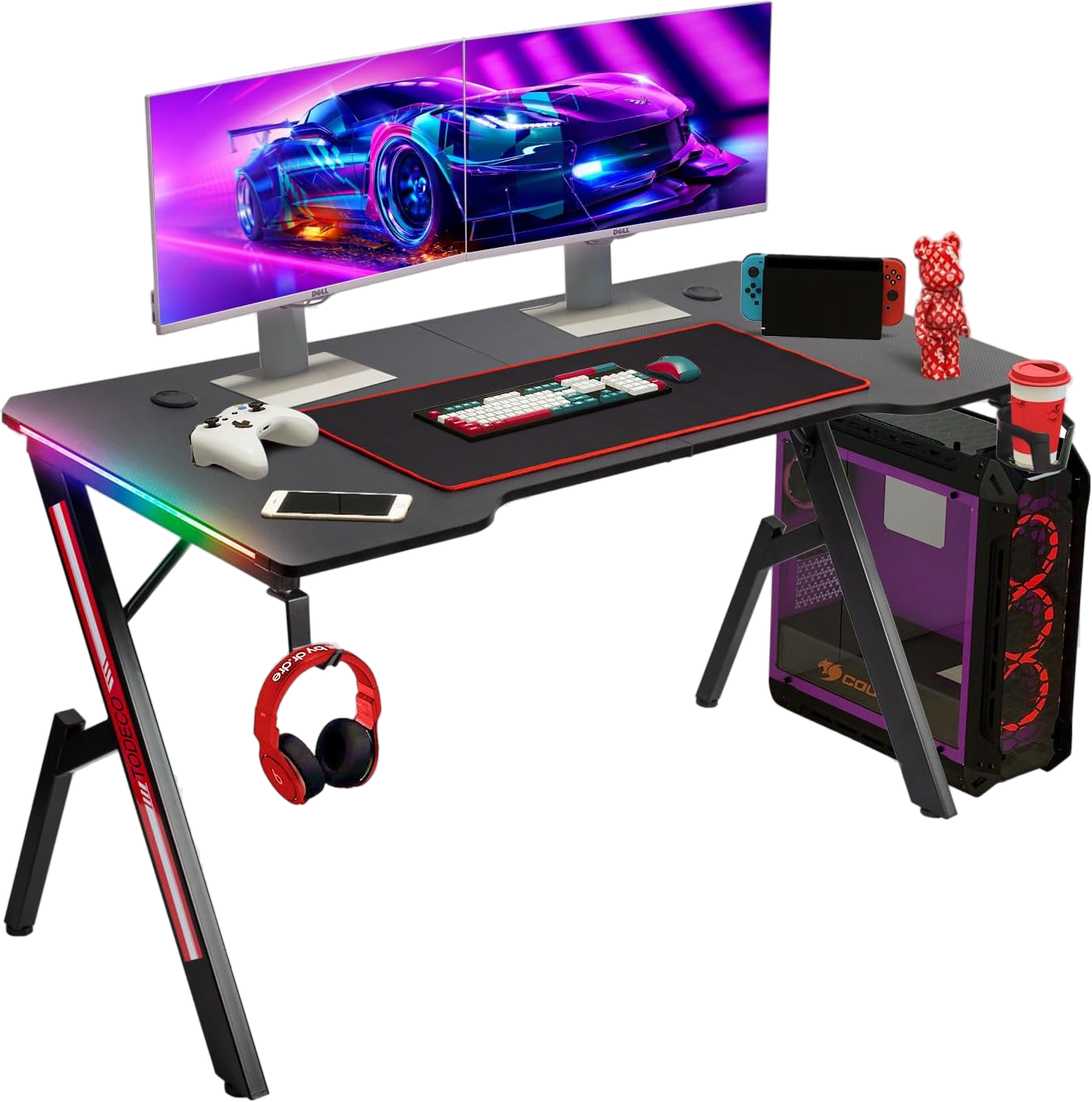
This gaming desk turns a bedroom or office corner into a properly organised battlestation: the cup holder clears the surface, the headset hook keeps things off the desk, and the built-in cable cut-outs keep your setup clean through long desk games sessions.
The black carbon-fibre-look top brings a deliberate, gaming-ready finish that ties in with the rest of your rig. The user-side curve pulls your keyboard and mouse closer in, while the rounded corners take the edge off long, friction-heavy sessions.
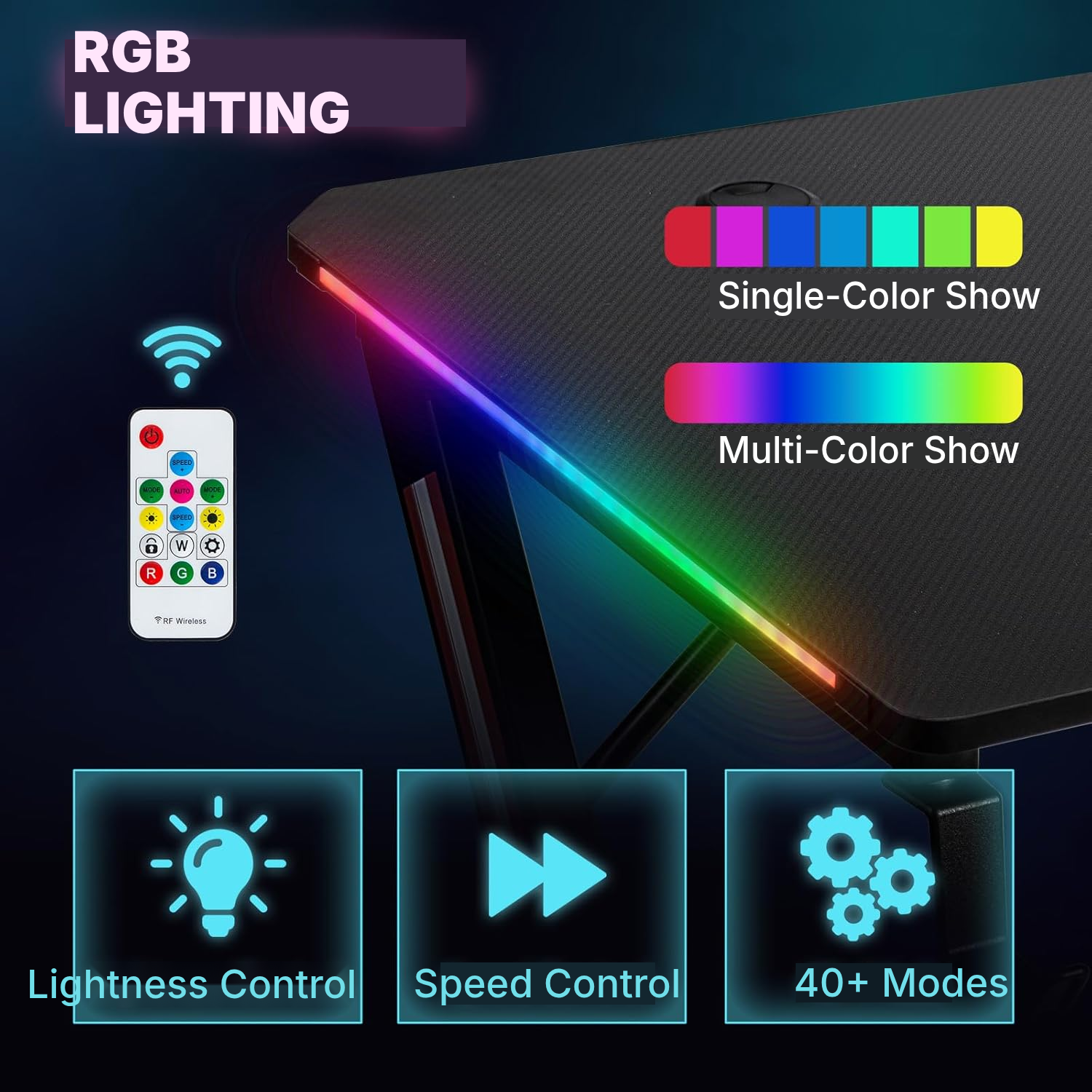
The RGB LED lighting is controlled by the included remote: 40+ dynamic modes, brightness control, effect speed, and memory of the last mode used.
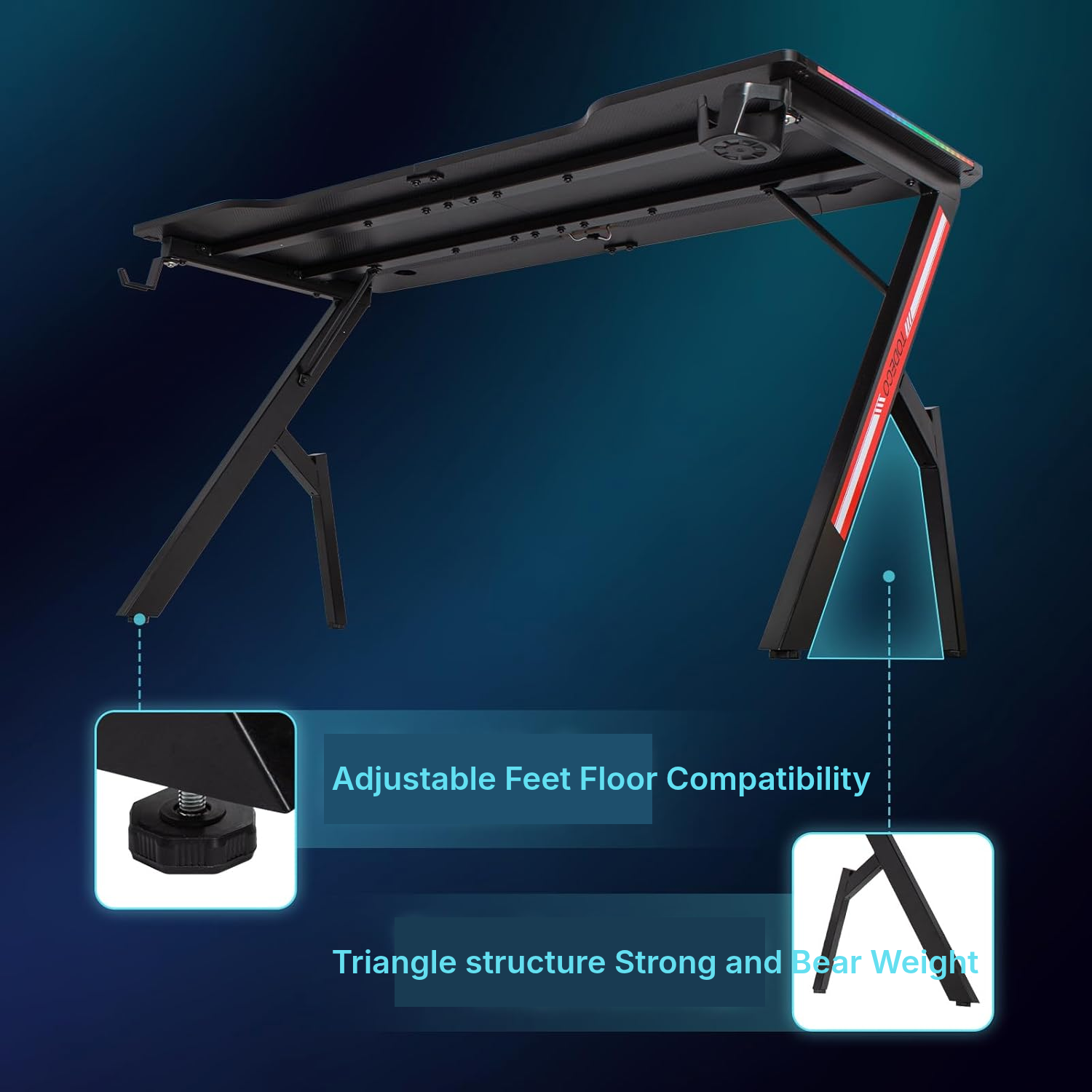
The frame pairs two side structures, two crossbars, angled leg supports and adjustable feet to lock the desk down on a flat, stable floor. It sits well alongside most office & desk chairs and works as a clean home gaming station next to your home desk chair.
How to Assemble Your Black Gaming Desk
- Assemble the upper and lower rails with the connectors and specified hardware.
- Attach the angled leg frames to the assembled rail frame.
- Join the two desktop panels with the connection plates.
- Screw the desktop onto the frame using the screws, washers and cable-management clip.
- Install the cable-management or power module according to the provided connectors.
- Complete the assembly and keep the included remote control handy for operating the LEDs.
What to Check Before Choosing a Large Gaming Desk
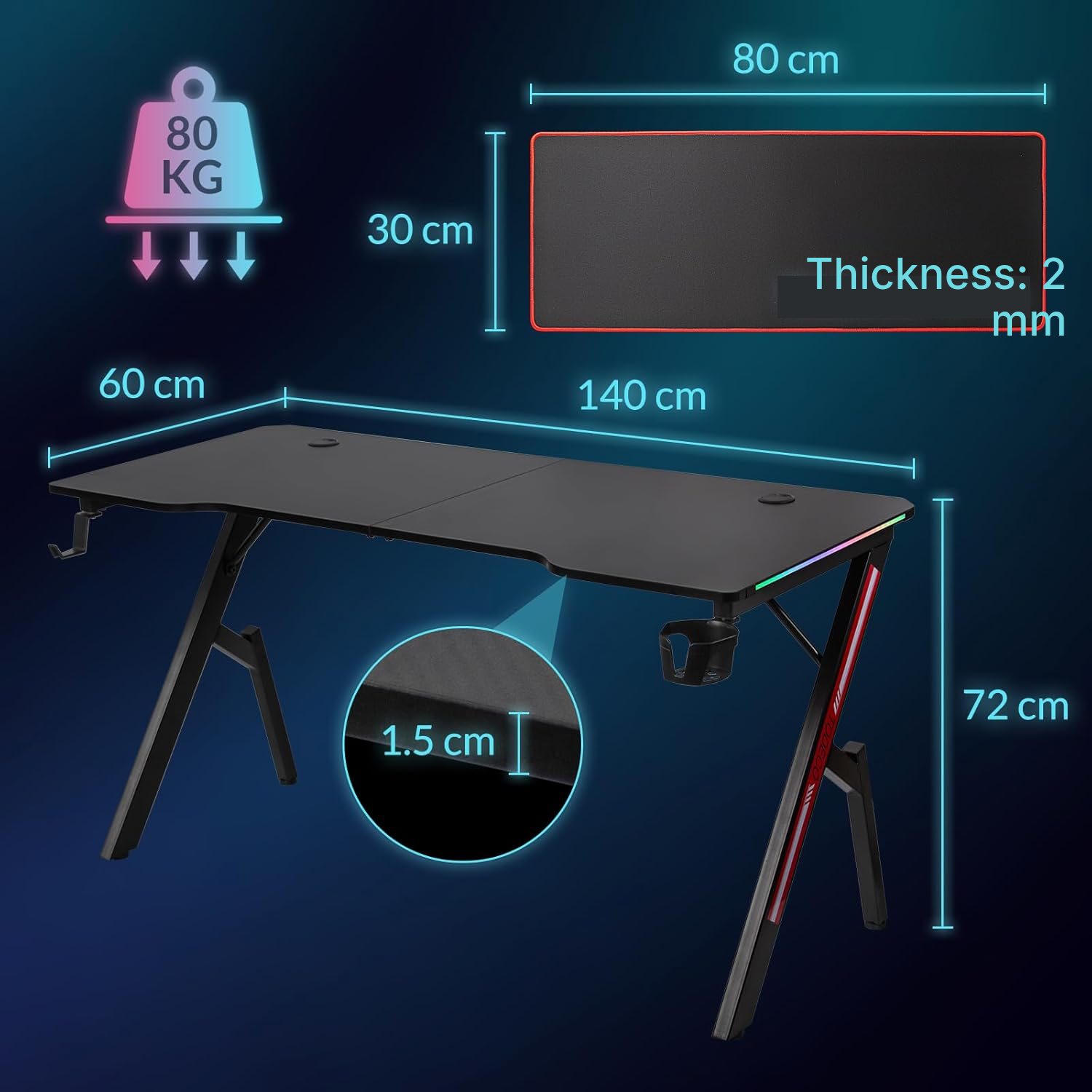
- Make sure your setup stays within the recommended maximum load of 80 kg.
- Choose this format if a depth of 60 cm is sufficient for your monitor and peripherals.
- Allow 2 people for more comfortable assembly.
- Install the desk only on a stable, level surface.
- Avoid damp environments because of the RGB LED lighting.
How to Care for Your Black Gaming Desk
- Regularly check all screws and components for signs of wear.
- Make sure the parts remain securely fastened over time.
- Clean with a dry or damp cloth, without spraying water directly.
Gaming Computer Desk Specifications
- Type
- LED gaming desk
- Model
- 140 cm
- Dimensions
- 140 × 60 × 72 cm
- Desktop surface
- 140 x 60 cm
- Length
- 140 cm
- Width
- 60 cm
- Height
- 72 cm
- Weight
- 16 kg
- Max recommended load
- 80 kg
- Colour
- Black
- Shape
- Rectangular
- Recommended number of users
- 1 person
- Lighting
- RGB LED
- Light modes
- 40+ dynamic modes
- Control
- Remote included
- Light settings
- Brightness and effect speed
- Light memory
- Last mode used
- Included accessories
- Cup holder, headset hook, mouse pad
- Cable management
- Built-in cable cut-outs
- Adjustment
- Adjustable foot pads
- Assembly
- Required
- Recommended people for assembly
- 2
- Desktop
- Two panels joined by connector plates
- Frame
- Two side structures, two crossbars and angled leg supports
- Desktop material
- MDF with carbon-fibre-look finish
- Frame material
- Iron
- Headset hook material
- ABS
- Quantities listed in manual
- 32 A washers, 24 B screws, 4 D screws, 4 E screws, 4 F screws
- Care
- Check screws and parts regularly; clean with a dry or damp cloth
- Intended use
- Gaming or computer desk
- Usage compatibility
- Gaming desktop PC, monitor, keyboard, mouse, headset and desk accessories
- Importer
- Direct Import Europe LTD, 59 Bd Pater chez MVS Services, 59300 Valenciennes, France
- Reference
- 0376-T-1
Questions Before Buying an Affordable Gaming Desk
how much weight can a 140 cm gaming desk hold?
The max recommended load is 80 kg, sized for normal use as a desk with monitor, keyboard, mouse, headset and desk accessories.
does the two-piece desktop hold up well?
Yes, the two desktop panels are joined with connector plates and the screws listed in the manual.
can one person assemble this desk alone?
Assembly is required and the manual recommends 2 people, especially to align the frames, crossbars and panels.
is this gaming desk good for a full PC setup?
Yes, as a computer table for a gaming PC: the 140 x 60 cm top fits a monitor, keyboard, mouse, headset and desk accessories, and it pairs well with most computer chair setups.
is the desk height adjustable?
The desk height is fixed at 72 cm; the adjustable foot pads only stabilise it on a flat surface. It is a sitting desk, not a monitor standing desk.
does it have drawers or closed storage?
This model relies on open accessories: cup holder, headset hook, mouse pad and built-in cable cut-outs. For extra storage, pair it with a separate desk and bookshelf unit against the wall, and add a foldable desk chair if space is tight.
can I use this desk in a humid room?
The manual states not to use it with wet hands or in damp environments, due to the electrical risks of the LED.
does this black gaming desk also work as an office desk?
Yes, as a cpu desk or office desk for computer work, if you're fine with the carbon-fibre-look black finish and the gaming-leaning RGB lighting.
what should I check after assembly?
The manual asks you to check screws and parts regularly to spot wear and keep everything locked in place. At 140 cm, this is a full-size top, not a small corner desk — so plan the footprint before you build, and consider pairing it with a bookcase and desk combo if you want extra storage.
Customer reviews
You may also like
Ready to go?
Shipping included · 30-day returns